



Here is the steps to Restore Windows Photo Viewer for All USER
Download the following .reg file and follow the steps:
1.. Open/Run the downloaded .reg file
2.. If prompted, approve to run.
3.. Go to Control Panel > search Default Apps > select Windows Photo Viewer from the list and click Set this program as default…
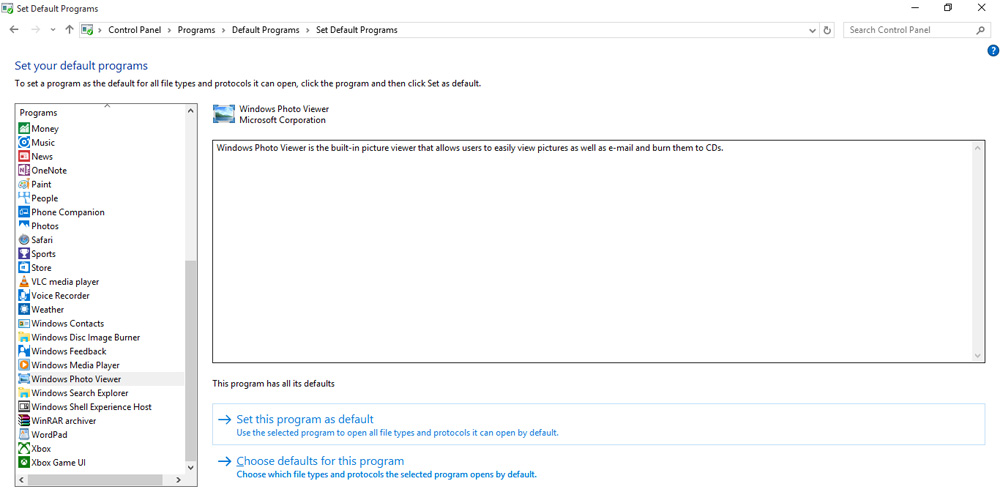
And you are done!